
开源云盘工具,你值得拥有 - 自建云盘
来源:鱼鹰谈单片机发布时间:2024-04-261896浏览
询问 AI
来源:公众号【鱼鹰谈单片机】
作者:鱼鹰Osprey
ID :emOsprey
filebrowser
一位道友给鱼鹰分享了一款开源云盘工具,使用体验非常好,比鱼鹰 nginx 搭建的网页资源分享方式好多了。
arm 工具下载地址如下(其它平台可以在 github 主页找)
https://github.com/filebrowser/filebrowser/releases/download/v2.27.0/linux-arm64-filebrowser.tar.gz有以下特点
1、多账号访问
2、网页操作(admin 账号登录后,随时增删用户)
3、资源链接分享
4、资源占用低
5、支持中文、支持上传、下载、文件名修改
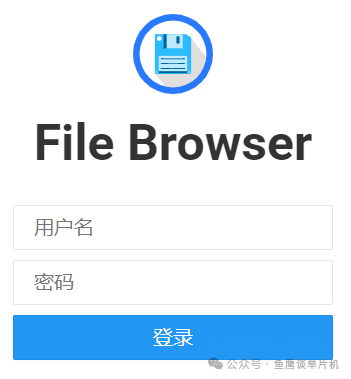
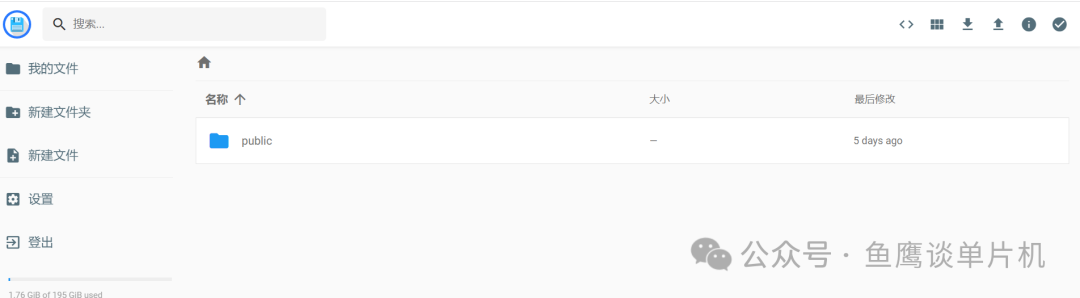
下面是使用效果:
#下载文件wget https://github.com/filebrowser/filebrowser/releases/download/v2.27.0/linux-arm64-filebrowser.tar.gz#解压文件tar -xzvflinux-arm64-filebrowser.tar.gzcdfilebrowser#设置可执行权限chmod 755 filebrowser#初始化数据库./filebrowser -d filebrowser.db config init#设置地址端口号、网盘根目录./filebrowser -d filebrowser.db config set --address 0.0.0.0 --port 1111 --root /media/osprey/ntfs-data/filebrowser# set admin user./filebrowser-dfilebrowser.dbusersaddospreyxxxx-password--perm.admin#指定该账号为管理员./filebrowser -d filebrowser.db users add public xxxxx-password# ls information./filebrowser -d filebrowser.db config cat#启动云盘/home/osprey/tools/filebrowser/filebrowser -d /home/osprey/tools/filebrowser/filebrowser.db --disable-preview-resize --disable-type-detection-by-header --cache-dir /home/osprey/tools/filebrowser/cache
也可以通过service管理我们的进程
/etc/systemd/system/filebrowser.service:
[Unit]Description=FilebrowserAfter=network-online.target[Service]User=ospreyGroup=ospreyExecStart=/home/osprey/tools/filebrowser/filebrowser -d /home/osprey/tools/filebrowser/filebrowser.db --disable-preview-resize --disable-type-detection-by-header --cache-dir /home/osprey/tools/filebrowser/cacheRestart=alwaysRestartSec=5StartLimitInterval=0#Type=simple[Install]WantedBy=multi-user.target
输入命令
sudoservicefilebrowserstart#启动服务sudoservicefilebrowserrestart#重新启动sudo service filebrowser status # 查看状态
服务文件文件修改后可以用这个命令重新加载
sudo systemctl reload filebrowser.service新闻来源:鱼鹰谈单片机,文中所述为作者独立观点,不代表icspec立场。更多精彩资讯请下载icspec App。如对本稿件有异议,请联系微信客服specltkj。